I'm going to tell you a story about how I noticed an unmet need in the marketplace, figured out it must be solvable, and then taught myself a solution, prototyping every step of the way. And a unique challenge for this one, because the user doesn't even know it's the user.
...because the user is a dog.
The Signal Hidden In Behaviour
Let's rewind.
I'm lucky enough to share my life with an awesome woman named Hel. Hel comes bundled with an adorable little schnoodle, called Ada.
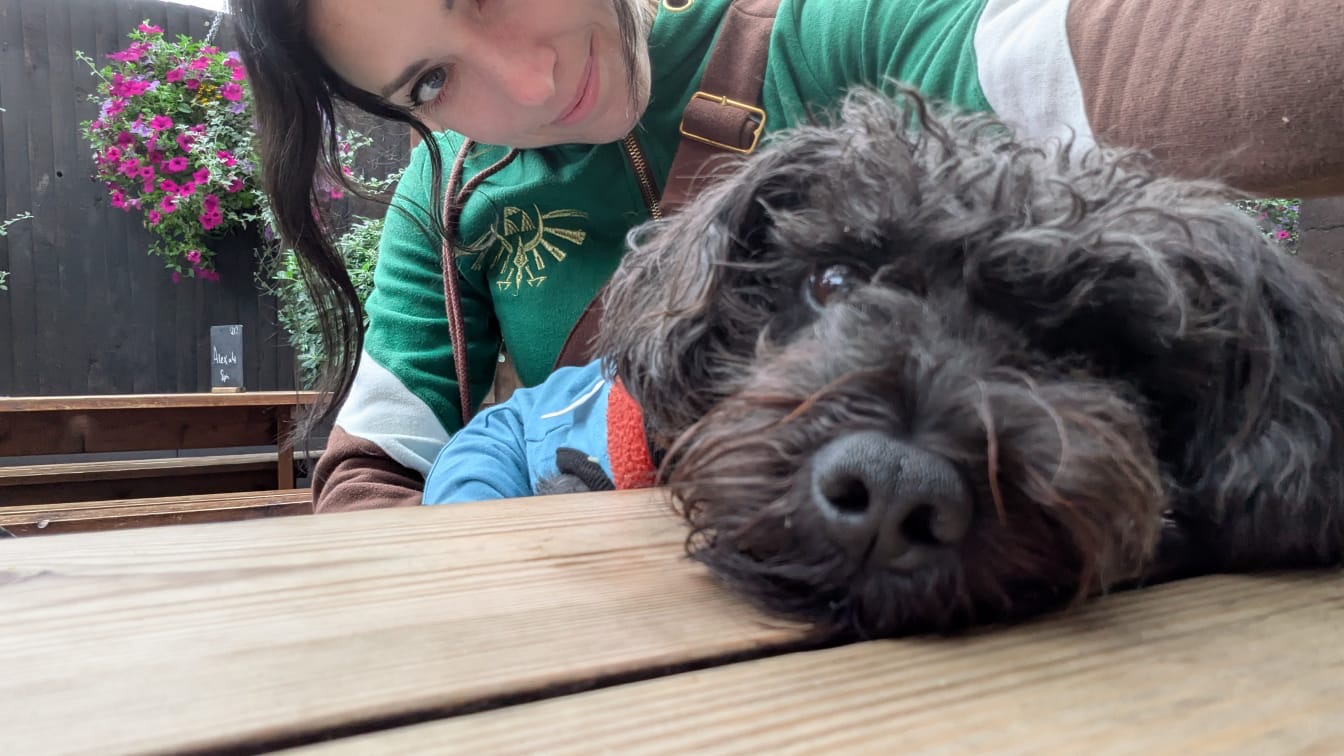
Now, Ada is lovely, but by dint of the fact that She Is Dog, she struggles with the concept of toilets. We humans are pretty good at going in the right place when nature calls; Ada... less so.
Hel and I have learned that, when we're vegged out on the sofa watching TV, and Ada gets up and goes for a wander, then the direction she turns when she leaves the room is critically important. If she heads out the door and turns left, then she's probably off to the kitchen for some food or water. But if she heads right, then she's probably signalling that she wants the toilet.
(as to how we learned this... just use your imagination)
Whilst Ada might only be a dog, Hel and I are also only humans. That means that we weren't 100% effective at clocking which way Ada turned as she went adventuring. If we're both focussed on a scary movie, we might not even notice she's gone for a wander, only finding out that we missed a right-turn... later. Cue the kitchen roll.
Treat It Like A System
So I treated it like any other system problem. A detector? A camera? Some sort of movement sensor that made a sound when tripped? Hmm. Let's let that one simmer for a while.
Few days later, I remembered that things like Arduinos and Raspberry Pis existed. Did some digging, and I figured that a microprocessor board, with a couple of sensors of some sort hooked up to it, was probably a good starting place. Soon after, I realised that the perfect alert wasn't an alarm or a beep – it was to leverage the very thing that we'd be staring at at the time. The TV – or more accurately, the Hue Lightstrip I've got stuck to the back of it. Game on.
One Question At A Time
First stop: Pimoroni. An online makers' store. Grabbed myself an Adafruit Feather board. Probably overkill for what I needed, but it had wifi, and if I got into this home-brew dev stuff, then it'd probably be the sort of thing I could use for more complex projects. I also started with a couple of simple break-beam sensors – logic being that we can use the order in which they're fired to ascertain dog direction – but turns out they wouldn't work reliably in the space I had. I wound up with a couple of time-of-flight sensors instead.
As for how to get code onto the Feather – although it isn't an Arduino, it's compatible with the Arduino IDE, so I downloaded that.
I plugged the board into my laptop – USB-Cs either end, handy – and the first thing I noticed was that it had a little onboard LED that defaulted to cycling through rainbow colours. I figured that my first proof-of-concept, to make sure that everything was hooked up and working properly, was to address that LED and make it do something.
Now, I'm a self-taught Unity C# programmer, and the Arduino uses C++. So I was pretty heavily reliant on AI help to get things working. But – I made sure that whatever I did, I could at least understand, even if I couldn't generate it myself yet.
The Arduino IDE calls a program a 'sketch', and mine was pre-filled with a couple of functions – setup() and loop(). Basically the same as Start() and Update() over in Unity. So I figured I'd pop something in setup() to turn the LED a solid colour.
That moment? The one where things start working? If you're a coder, you'll know what I'm talking about. I had That Moment when the code compiled, and then deployed, and then the LED on the Feather turned solid green. Yes!
Next step: because I'm going to be addressing a Hue lighting setup, let's make sure we can get this thing connected to wifi. Told the LED – which I'm now an old hand at addressing – to be amber whilst it was trying, and then blue when it was connected. All working so far.
Next: let's get a TOF sensor working. Now, I'd figured when I started this that I'd need to do some soldering for the first time in about three decades. I wasn't wrong, but it wasn't actually that much. The TOF sensors are compatible with STEMMA QT connectors; so, rather than soldering, just plug-and-play between the sensor and the Feather for an instant just-works connection. With the two things plugged together, let's get the onboard LED flashing faster the closer something is to the sensor... yep, that works. Nice.
Because there's a bit of complexity when using multiple daisy-chained TOFs, which I'll talk about in a sec, my next step was getting the Hue Lightstrip to do something.
Worth saying at this point that my Lightstrip has a name.
It is called Glowsnake.
Now, Philips – the people that make Hue – didn't need to do this, but their stuff has an open API. Once I'd locked the Hue Bridge's IP address, it was a simple matter of diving into the Bridge via a web browser and asking it for an API key. With that in my code, I could send the Bridge commands over http, and that in turn would tell Glowsnake to do stuff.
There are quite a few ways to do this, and in my case things were slightly more complex because I needed a solution that worked both when the TV was off, and when it was on and in a sync session with Glowsnake. My first instinct was to send Glowsnake an 'alert' signal regardless – but interrupting a sync session that way turned out to be unreliable. So I went looking at the TV's own REST API to see if I could stop the session from there. Couldn't. But I could make the TV display an on-screen message.
So that's what I did. If the TV's on: an on-screen message on the thing we're already looking at. TV off: glorious #E8A832 Glowsnake alert.
At this point, I've basically got every piece of functionality I'm going to need, proved out.
The daisy-chaining complexity I mentioned earlier? Multiple TOF sensors, when STEMMA-QT-daisy-chained together, all share the same bus. So that means that the Feather can't tell which sensor is sending it data; all it knows that it's getting data.
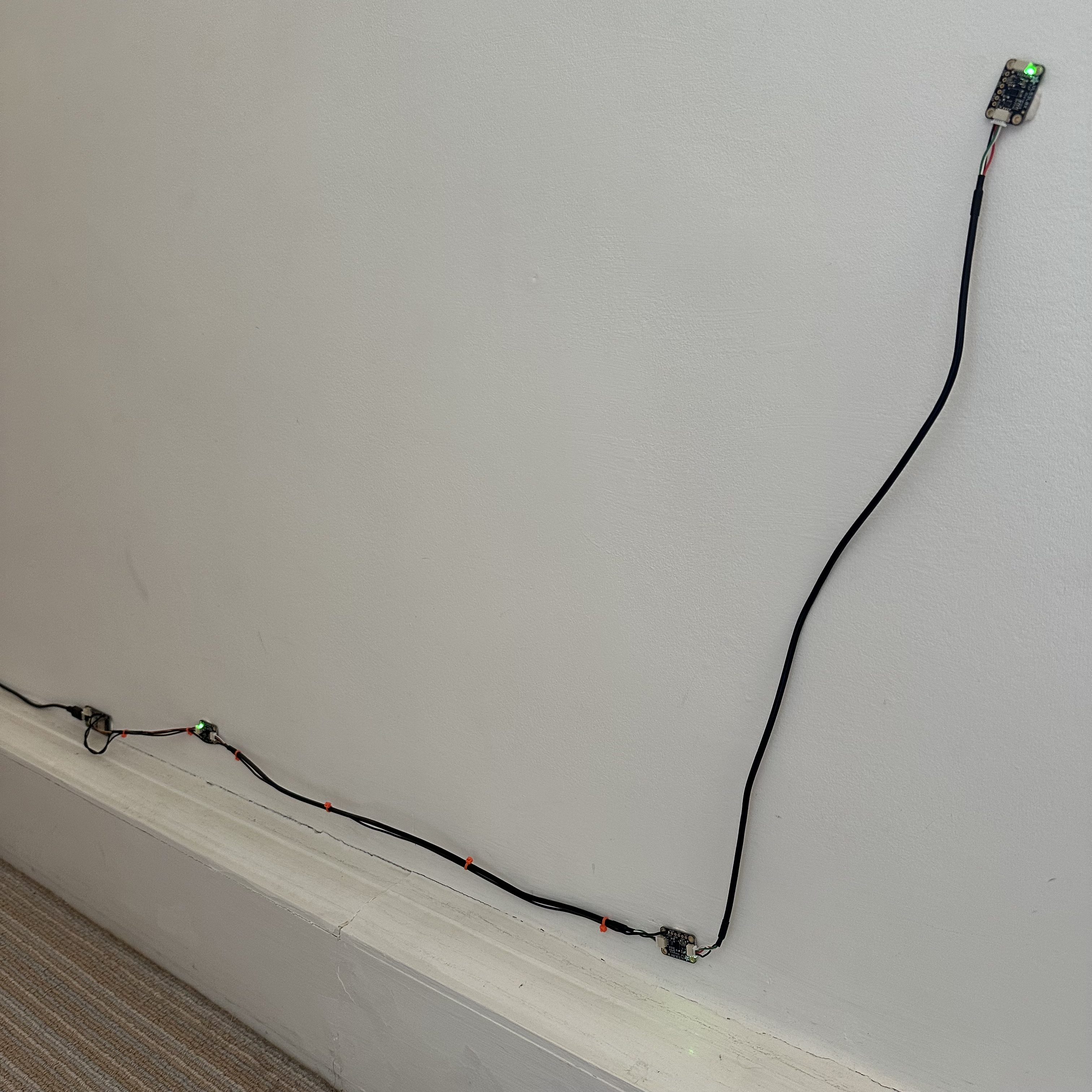
Fortunately, there's a way around this, and it's one that made me glad I bought a soldering iron. The TOF sensors have a pin called 'XSHUT'. If you solder it to one of the Feather's data pins, you can send a command down it to shut down the sensor. So, with both TOF sensors wired up to different pins, I could shut down each in turn, and switch the other to a different bus. Net result is that I know which sensor is sending me what information.
At around this time, I realised I could add a third TOF sensor, which I'd mount above Ada height, to deal with false-positives generated by humans wandering down the corridor. And I could handle that in code before the sensor itself dropped through the letterbox, as it'd be the only one left on the default bus. Lovely.
Turns out that soldering with eyes in their forties is quite different than when you're a teenager. I've added a magnifying glass to my shopping list.
I was a little nervous when I connected everything back up to the IDE, just in case my soldering hadn't done the job, or if I'd accidentally fried something, but... it all held.
And that was basically that. Every part of the (admittedly pretty simple) solution had been designed, deployed, and tested. All that was left to do was to put it all into one program, wait for that third sensor, and get it hooked up.
And when I did, it worked.
The Process Is The Point
There's a through-line here that I've been thinking about.
Whether I'm designing a game, consulting on a production structure, or rigging up a motion sensor to catch a schnoodle mid-wander – the process is the same. Notice the problem. Figure out the smallest thing that might address it. Build that. Learn from it. Build the next thing.
I didn't sit down and wire up three TOF sensors on day one. I made an LED go green. Then I made it go amber and blue as it attached itself to wifi. Then I made it flash faster when something got close. Each step answered exactly one question, and only then did I move to the next.
That's not a hardware development methodology. It's not tool-specific, or domain-specific.
It's just what happens when you start by understanding the user, and only then design the system around them.
Even when the user doesn't know they're the user.